Share your feedback via email, using Mastodon or
Xteink X4 short-term review and bonus
Edits: - on 2026-02-01: Added a link to a disassmbly guide [1]
After using the
Xteink X4
for few days now, I can honestly share what it feels like to read on this compact device. It may sound counter intuitive but the X4 absolutely nails it. Text is crisp without looking over-processed, and there’s a natural smoothness to the rendering that makes fonts feel stable rather than digitally constructed. You don’t get that faint jaggedness or shimmer you sometimes notice when your eyes linger too long on a paragraph. Instead, everything holds steady. You stop noticing the screen and just keep reading. Whether you’re under harsh overhead lighting or reading outside, the screen stays consistent. No distracting reflections, no constant angle adjustments. The Xteink X4 feels surprisingly ergonomic in your hand, especially considering how compact it is. Its lightweight (74g) makes it very easy to hold for extended reading sessions without your hand tiring out. The overall shape and size feel natural. The physical buttons are laid out with practicality in mind. They’re easy to reach with your thumb or fingers without having to shift your grip, so flipping pages or navigating menus feels intuitive and effortless. Even with one hand, you don’t have to stretch to hit any control. One neat ergonomic feature is the ability to invert the text orientation. If you’re left‑handed or prefer holding the device a certain way, you can flip the layout so button positions feel more natural in your dominant hand. I’m right-handed, but inverting the text orientation lets me use my finger to turn pages instead of awkwardly flicking my thumb like you do on a phone. Even with a modest ESP32-C3, the X4 feels extremely responsive thanks to the optimized firmwares available to the community. It boots in just 2 seconds, and navigating the menus is smooth and snappy. This is another area where the X4 quietly shines. Its size might not seem impressive at first, but it’s worth remembering that this tiny device runs on an ESP32-C3. Thanks to that efficiency, the battery can last up to 14 days with 1–3 hours of reading per day.
My only question would be to find a way to replace it after it dies. [1] Update: Here is a
guide
to disassemble your X4. Changing the battery seems pretty easy then… assuming you can remove the back cover and fix it back. As mentioned in the previous post, there are several firmware options available for the X4. Installing one is extremely simple and takes no more than 10 seconds, so I’d highly recommend spending 15 minutes trying the stable versions to see which one suits you best. For the most tech-savvy among you, you might also be interested in
TRMNL
and their plugins. They’re currently in talks with Crosspoint’s developer about integrating it into the firmware… Excited yet? The X4 comes with a screen protector, but you can also buy a case to protect it. To add a little bit of DIY flair to this project, I 3D-printed my own case using a model from
makerworld
. There are several models available, but I chose this one because it provides full coverage, prevents accidental button presses when tossing the X4 in a bag or pocket, and still allows easy access to the charging port and reset button. X4 Print Case - Top view X4 Device X4 Print Case - Left side X4 Print Case - Right sideFont Legibility
The ability to adjust the font type, font size, word and line spacing, and margins makes a huge difference in finding the layout that works best for you. Keep in mind that the level of customization will vary depending on the firmware you’re using.Outdoor Legibility
I might also have a slightly unusual soft spot for e-ink screens. I can’t quite explain it, but I love the texture and feel of the text they produce. Honestly, I’d love for my next phone to have an e-ink display :)Ergonomic Handling
Responsive Low Power Device
If you optimize your book files using the tools also mentioned in the previous post, turning page will be instant and loading a new chapter will take less than 2 seconds. The page turn is so smooth that I sometime double check that it actually happened.Battery Life
Firmware And More
I ended up using Crosspoint like most people, even though it’s a bit less compact in terms of text formatting compared to Papyrix. Honestly, if Papyrix had features like auto-loading paragraph progress and displayed overall book progress, it would’ve been perfect for me… Turned out that
Inx
may be the firmware to fill the gap between Crosspoint and Papyrix. It also has a nice interface and show your current book reading time, and number of pages/chapters on the home screen. It’s promising since still in pre-release.
Firmwares are evolving quickly, so there’s no telling what great features might come next. I’ll definitely keep a close eye on new releases and test them out. And - as mentioned in the earlier post - you can have two firmwares installed on the device, which makes experimenting incredibly easy.3D-Printed Case
Conclusion
The Xteink X4’s main selling point is its compact size, making it perfect for reading on the go. Most people use it as a secondary e-reader, switching to a larger screen once they’re back home. For me, though, it’s my only reader, and I don’t feel the need for a bigger device. Larger e-readers are overpriced in my view, but I was still initially worried about the smaller screen and potential eyestrain. In practice, the X4 handles long reading sessions with ease. I even found myself reading more on it than I typically do with a physical book. To be fair, the book itself was especially engaging, which may have influenced that result ;)
I can’t wait to see which features and improvements the different firmwares will offer in the near future.
+++
title = “Xteink X4 short-term review and bonus”
description = “One-week review and case print for the Xteink X4”
date = “2026-03-31T17:24:22-04:00”
lastmod = “2026-04-02T19:51:22-04:00”
edit1 = “- on 2026-02-01: Added a link to a disassmbly guide [1]”
tags = [“system”]
series = [“Xteink X4”]
[comments]
host = “social.linux.pizza”
username = “wwwgem”
id = “116326284866779546”
+++
After using the
Xteink X4
for few days now, I can honestly share what it feels like to read on this compact device.
Font Legibility
It may sound counter intuitive but the X4 absolutely nails it. Text is crisp without looking over-processed, and there’s a natural smoothness to the rendering that makes fonts feel stable rather than digitally constructed. You don’t get that faint jaggedness or shimmer you sometimes notice when your eyes linger too long on a paragraph. Instead, everything holds steady. You stop noticing the screen and just keep reading.
The ability to adjust the font type, font size, word and line spacing, and margins makes a huge difference in finding the layout that works best for you. Keep in mind that the level of customization will vary depending on the firmware you’re using.
Outdoor Legibility
Whether you’re under harsh overhead lighting or reading outside, the screen stays consistent. No distracting reflections, no constant angle adjustments.
I might also have a slightly unusual soft spot for e-ink screens. I can’t quite explain it, but I love the texture and feel of the text they produce. Honestly, I’d love for my next phone to have an e-ink display :)
Ergonomic Handling
The Xteink X4 feels surprisingly ergonomic in your hand, especially considering how compact it is. Its lightweight (74g) makes it very easy to hold for extended reading sessions without your hand tiring out. The overall shape and size feel natural.
The physical buttons are laid out with practicality in mind. They’re easy to reach with your thumb or fingers without having to shift your grip, so flipping pages or navigating menus feels intuitive and effortless. Even with one hand, you don’t have to stretch to hit any control.
One neat ergonomic feature is the ability to invert the text orientation. If you’re left‑handed or prefer holding the device a certain way, you can flip the layout so button positions feel more natural in your dominant hand. I’m right-handed, but inverting the text orientation lets me use my finger to turn pages instead of awkwardly flicking my thumb like you do on a phone.
Responsive Low Power Device
Even with a modest ESP32-C3, the X4 feels extremely responsive thanks to the optimized firmwares available to the community. It boots in just 2 seconds, and navigating the menus is smooth and snappy.
If you optimize your book files using the tools also mentioned in the previous post, turning page will be instant and loading a new chapter will take less than 2 seconds. The page turn is so smooth that I sometime double check that it actually happened.
Battery Life
This is another area where the X4 quietly shines. Its size might not seem impressive at first, but it’s worth remembering that this tiny device runs on an ESP32-C3. Thanks to that efficiency, the battery can last up to 14 days with 1–3 hours of reading per day. My only question would be to find a way to replace it after it dies.
[1] Update: Here is a guide to disassemble your X4. Changing the battery seems pretty easy then… assuming you can remove the back cover and fix it back.
Firmware And More
As mentioned in the previous post, there are several firmware options available for the X4. Installing one is extremely simple and takes no more than 10 seconds, so I’d highly recommend spending 15 minutes trying the stable versions to see which one suits you best.
I ended up using Crosspoint like most people, even though it’s a bit less compact in terms of text formatting compared to Papyrix. Honestly, if Papyrix had features like auto-loading paragraph progress and displayed overall book progress, it would’ve been perfect for me… Turned out that
Inx
may be the firmware to fill the gap between Crosspoint and Papyrix. It also has a nice interface and show your current book reading time, and number of pages/chapters on the home screen. It’s promising since still in pre-release.
Firmwares are evolving quickly, so there’s no telling what great features might come next. I’ll definitely keep a close eye on new releases and test them out. And - as mentioned in the earlier post - you can have two firmwares installed on the device, which makes experimenting incredibly easy.
For the most tech-savvy among you, you might also be interested in TRMNL and their plugins. They’re currently in talks with Crosspoint’s developer about integrating it into the firmware… Excited yet?
3D-Printed Case
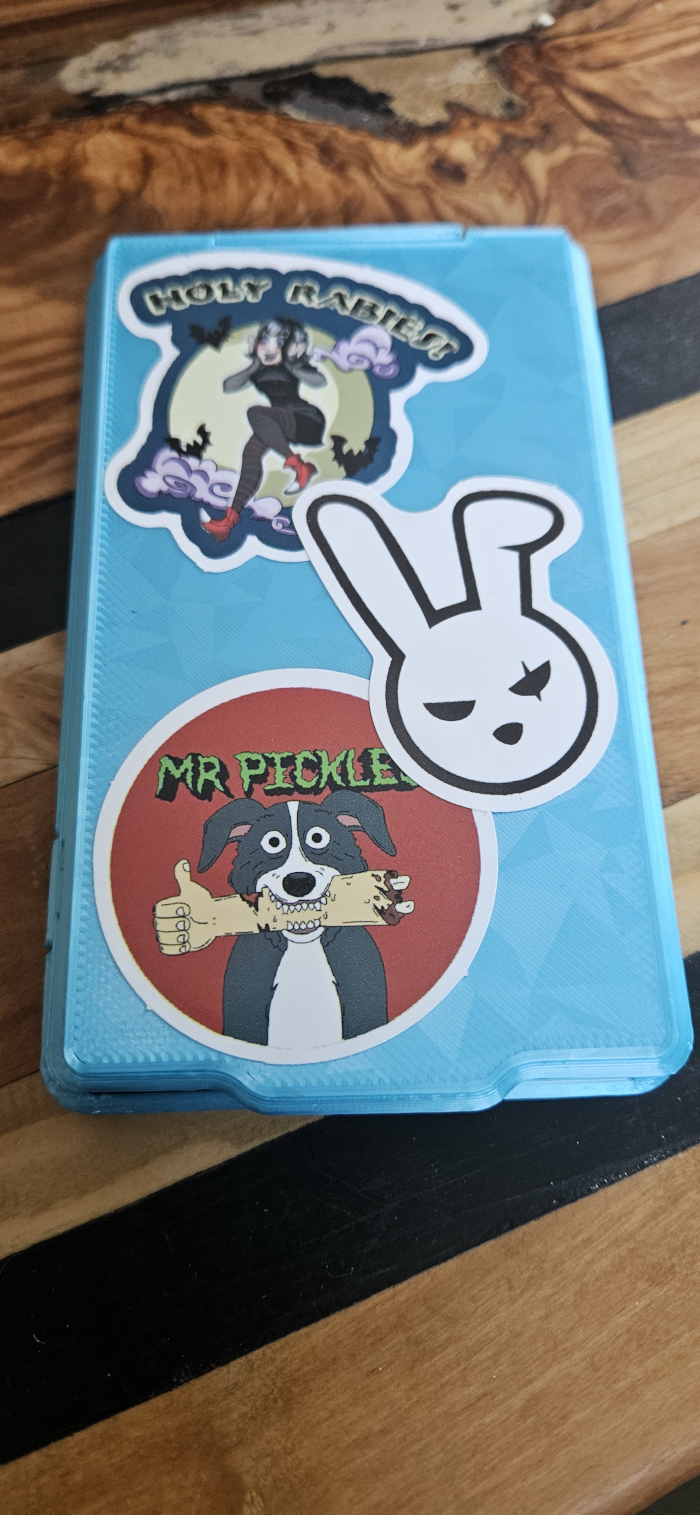
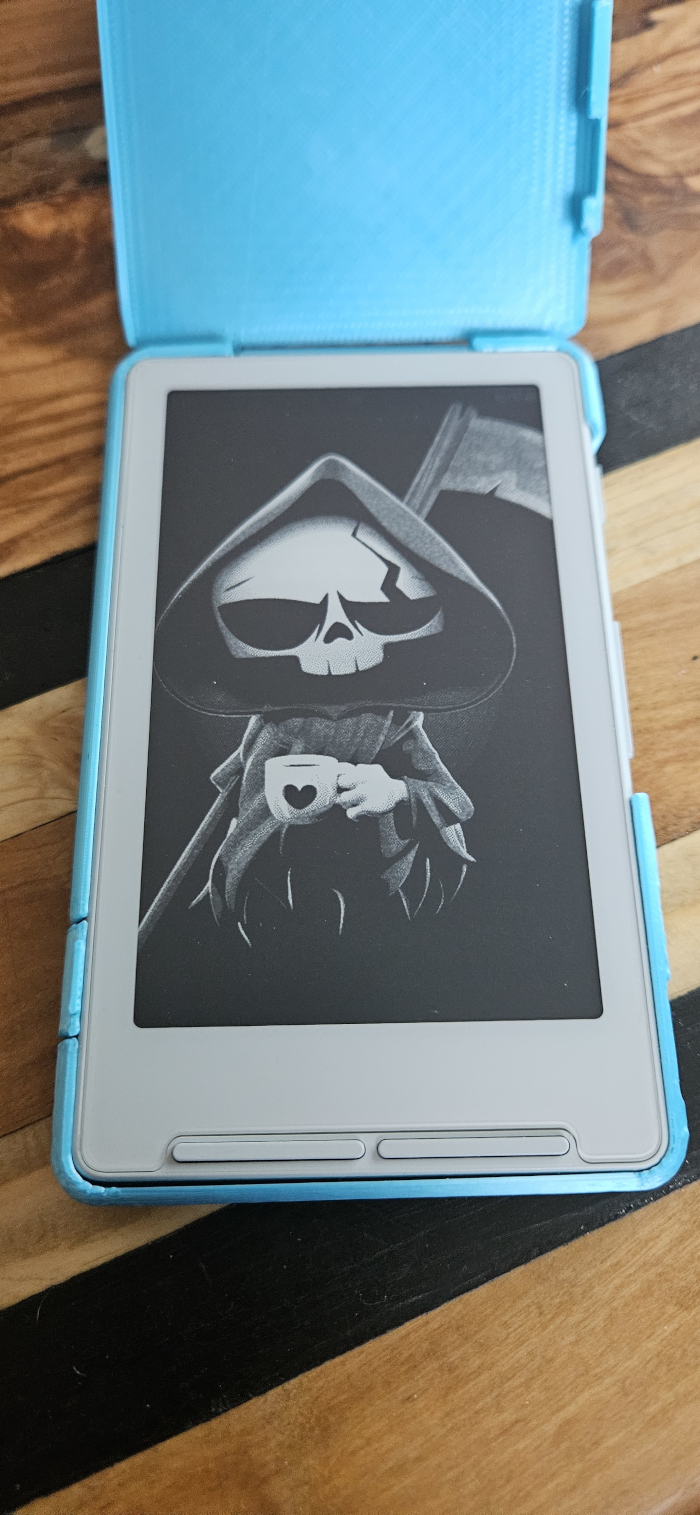
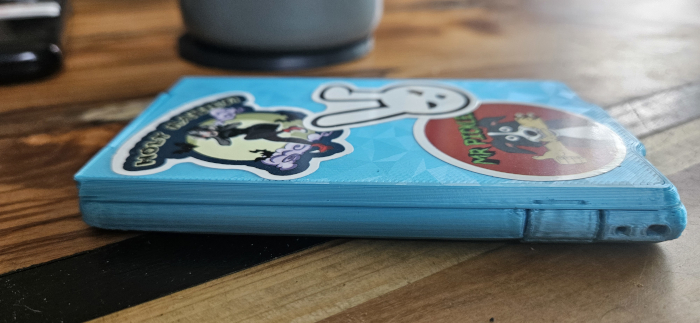
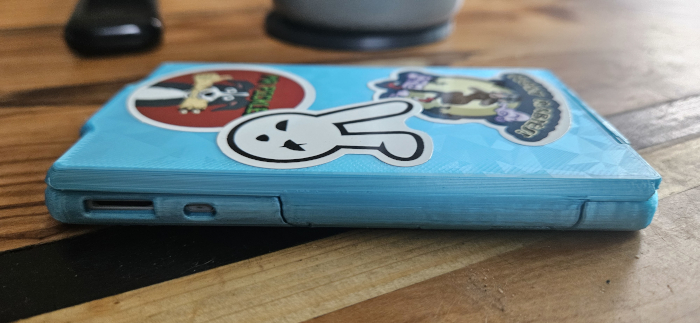
The X4 comes with a screen protector, but you can also buy a case to protect it. To add a little bit of DIY flair to this project, I 3D-printed my own case using a model from makerworld . There are several models available, but I chose this one because it provides full coverage, prevents accidental button presses when tossing the X4 in a bag or pocket, and still allows easy access to the charging port and reset button.
X4 Print Case - Top view
X4 Device
X4 Print Case - Left side
X4 Print Case - Right side
Conclusion
The Xteink X4’s main selling point is its compact size, making it perfect for reading on the go. Most people use it as a secondary e-reader, switching to a larger screen once they’re back home. For me, though, it’s my only reader, and I don’t feel the need for a bigger device. Larger e-readers are overpriced in my view, but I was still initially worried about the smaller screen and potential eyestrain. In practice, the X4 handles long reading sessions with ease. I even found myself reading more on it than I typically do with a physical book. To be fair, the book itself was especially engaging, which may have influenced that result ;)
I can’t wait to see which features and improvements the different firmwares will offer in the near future.
All posts in the Xteink X4 series:
- Barebones e-reader: Xteink X4
- Xteink X4 short-term review and bonus
- Reading more than books on the X4